Cross-Border Payments









Singapore


Malaysia


Philippines

Thailand


Indonesia

Vietnam


India
South Korea



China

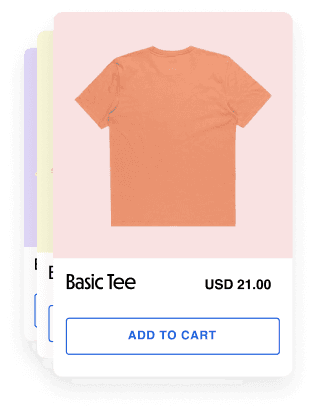


CHOOSE YOUR PRODUCT
ONLINE
HitPay Hosted Online Checkout

Adaptive Pricing
The same mechanic as Borderless QR, brought online: merchant prices in home currency, and international customers see and pay in their own currency at checkout.
Multi-currency Online Store
Give your customers a local shopping experience no matter where they are. Display prices in local currencies, reduce fees, and boost global conversion rates - with an easy no-code setup.
Multi-Currency Payment Links
An online seller quotes an overseas client a fixed price by creating a payment link denominated directly in that customer’s own currency.
In-Person Payments
HitPay Point-of-Sale
01. IN-PERSON · FIXED STOREFRONT
A storefront near a tourist district loses sales when a visitor has no local cash or a card that gets declined.
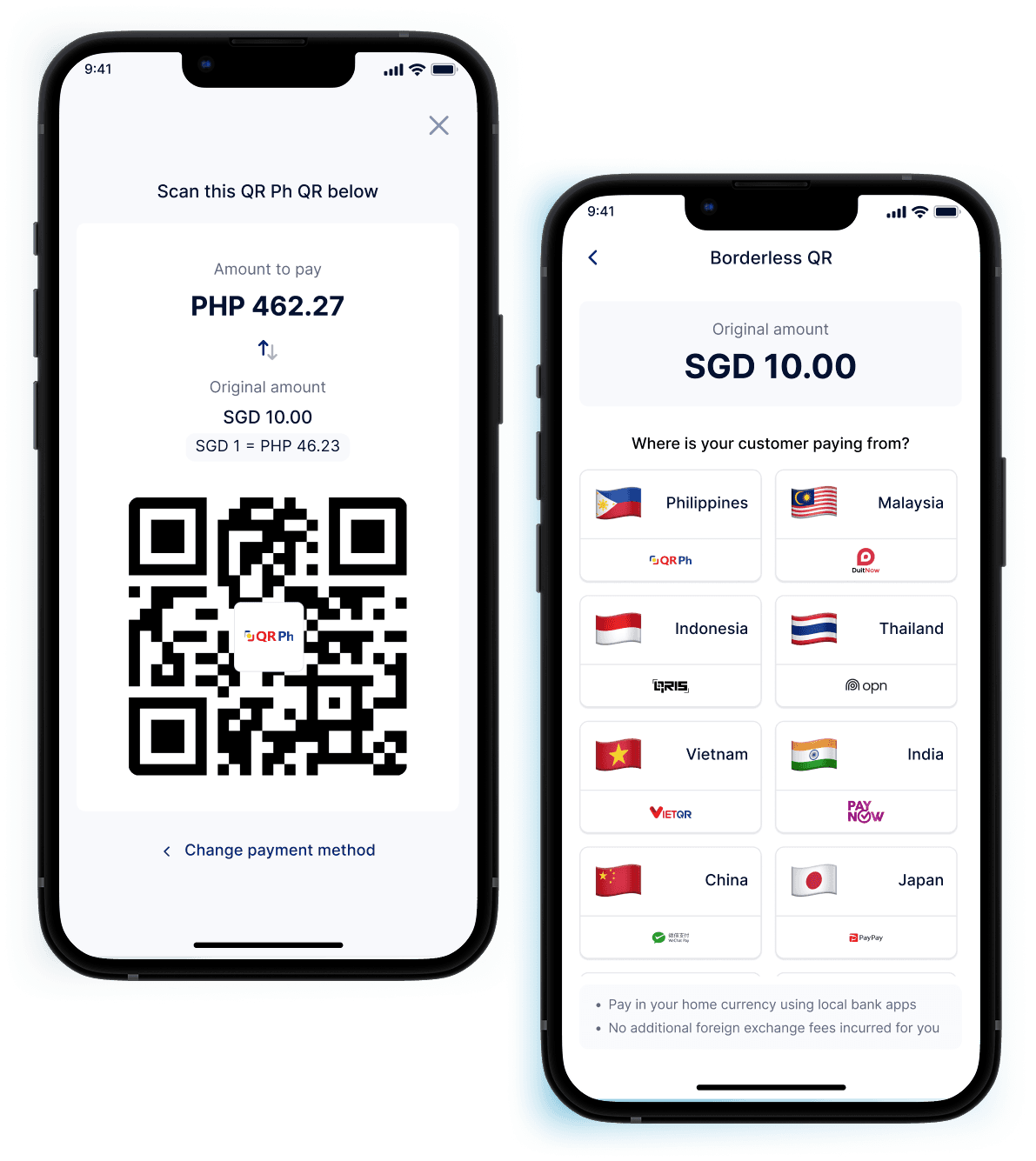
Borderless QR fixes that: charge your customers in their home currency, and the tourist scans the same QR to pay in theirs - via any HitPay cross-border payment method (PayNow, DuitNow, WeChat Pay, QRPh, QRIS, UPI and more). You still get paid out in your home currency, so reconciliation does not change.

One QR checkout flow accepts every connected cross-border wallet

Works on the existing HitPay POS app - no new hardware

Your customers pay less at mid-market rate; you receive in your home currency

02. IN-PERSON · SELLING OVERSEAS
Businesses selling at an overseas expo, market, trade fair, or pop-up booth lose sales when it takes too long to convert prices to local currency for customers on the spot.
Multi-Currency Products fixes that: price your catalogue directly in the local currency of wherever you are selling. A Singapore merchant at a Bangkok craft fair can price products in THB. A Philippine merchant at a Kuala Lumpur market can price products in MYR.
Merchant sets the local-currency price
Works on the existing HitPay POS app - no additional hardware
Payout converts back to the merchant’s home currency

Start accepting payments from customers across Asia-Pacific with ease. Expand into new markets without setting up a foreign entity or bank account.
Online Payments
Hosted checkout
01. ONLINE · PRICED IN YOUR CURRENCY
Online stores that price only in their home currency lose international shoppers at checkout, when the amount on screen means nothing to them.
Adaptive Pricing fixes that: keep your catalogue priced in your home currency, and let the checkout convert automatically for the shopper’s detected location. You are still paid out in your home currency.

No need to reprice your products
Checkout amount automatically converted and shown in foreign currency based on the detected customer’s location

No-code required to enable - turn it on in Checkout Customisation settings
Works with your existing online store integration - Shopify, Wix, WooCommerce, and more - with no extra setup per platform

02. ONLINE · PRICED IN CUSTOMER’S CURRENCY
Quoting an overseas client in your own currency leaves them guessing what they will actually pay on the day.
Multi-Currency Payment Links fix that: denominate the link directly in the customer’s currency, share it anywhere, and still receive your payout in your home currency.
Set the price directly in your customer’s currency
Payout lands in the merchant’s home currency
Shareable via WhatsApp, email, or SMS - no storefront required

03. ONLINE · MULTI-CURRENCY ONLINE STORE
Shoppers abroad abandon carts when prices and checkout run in a currency they do not use day to day.
A multi-currency online store displays prices and runs checkout in the shopper’s local currency, with the rate under your control rather than the card network’s.
Automatically displays prices and runs checkout in the shopper’s local currency

You control the rate - mid-market, a fixed rate, or your own markup - plus optional price rounding for a clean storefront
Pair with HitPay Cross-Border QR (PayNow, DuitNow, QRIS, QRPh, and more) to save up to 1.5% versus international card fees

PAYMENT METHODS
One HitPay integration connects every method below - no separate contract per country.






Alongside these 14 cross-border methods, HitPay merchants also access 50+ payment methods overall, including cards, local wallets, and BNPL -
FOR DEVELOPERS
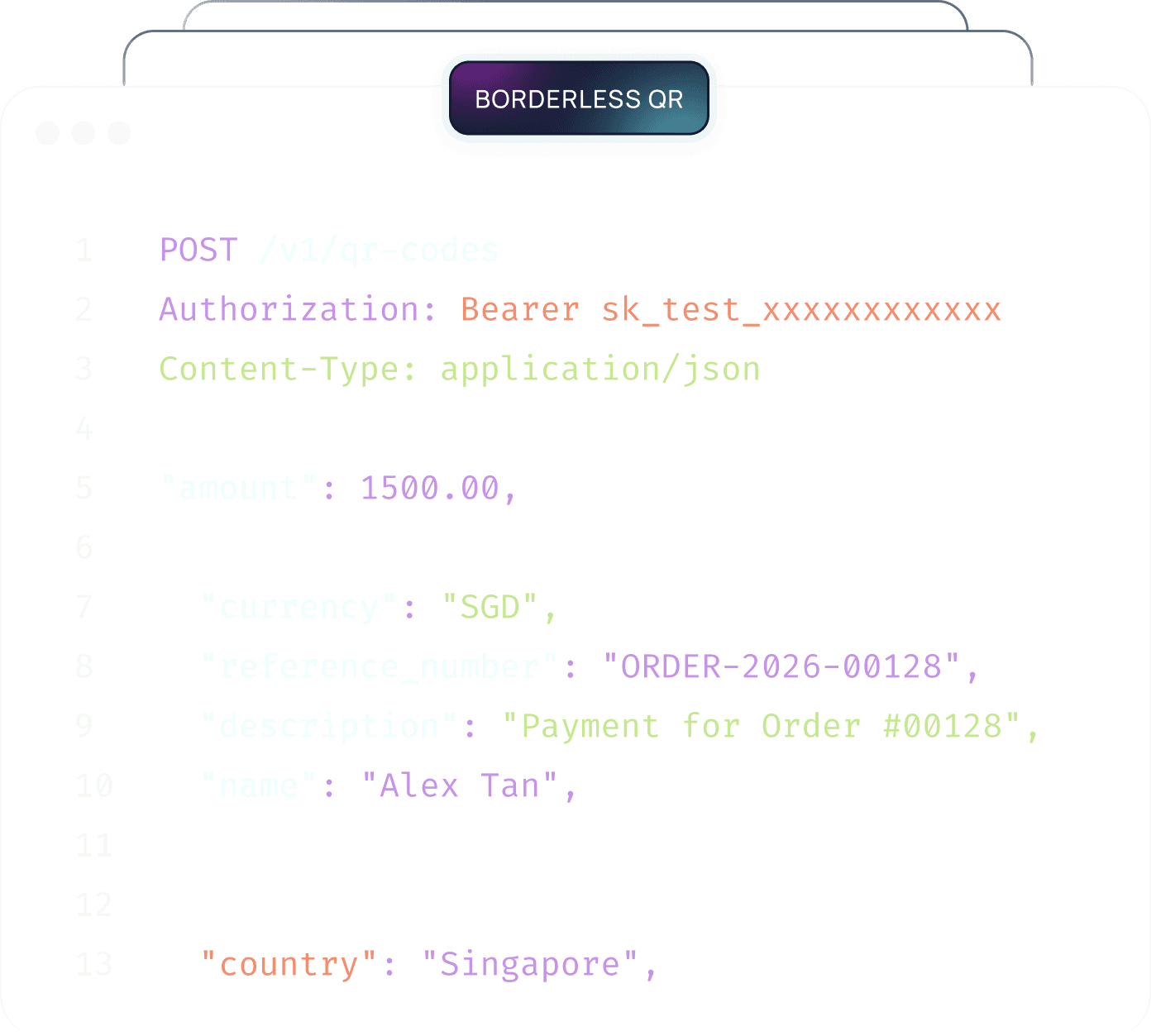
Two APIs expose the same mechanics that power the native HitPay SME products, for partners and developers building a custom POS or checkout.
Borderless QR API
API-level access to the same FX and QR-network mechanic behind the native HitPay Borderless QR product - for merchants and partners building their own POS or checkout flow rather than using the native app and exchange rate.
Payment Request API
API-level access to the adaptive, currency-aware pricing mechanic behind Adaptive Pricing - for partners and developers building their own checkout experience via the localised_pricing parameter.

SIDE BY SIDE


BUILT IN BENEFITS
Beyond the four core products, every cross-border payment shares the same protections and reporting.


frequently asked questions
Everything Singapore, Malaysia, and Philippine businesses need to know about accepting payments from customers across Asia-Pacific.
What is HitPay and how does it work for businesses accepting cross-border payments?
HitPay is a Singapore-headquartered payment platform, licensed as a Major Payment Institution (PS20200643) under the Monetary Authority of Singapore, that lets Singapore, Malaysia, and Philippine businesses accept cross-border payments from customers across Asia-Pacific. Businesses choose from four products - Borderless QR, Multi-Currency Products, Adaptive Pricing, and Multi-Currency Payment Links - depending on whether they sell online or in person and who sets the exchange rate. There are zero monthly fees; standard transaction fees vary by payment method.
What cross-border payment methods does HitPay support, and in which markets are they popular?
HitPay supports cross-border payment methods for businesses in Singapore, Malaysia, the Philippines, Australia, and Hong Kong through a single integration, with no separate contract required for each country.
What is the difference between Borderless QR and Multi-Currency Products?
Both are in-person products that run on the existing HitPay POS app. Borderless QR is for a fixed storefront serving tourists: the visitor pays with the wallet they already use, and you receive in your home currency. Multi-Currency Products is for selling overseas - at a pop-up, market, or trade fair - without a local entity, acquirer, or settlement account.
What is the difference between Adaptive Pricing and Multi-Currency Payment Links?
Both are online products, and the difference is who sets the rate. Adaptive Pricing keeps your catalogue priced in your home currency and converts at checkout for the customer. Multi-Currency Payment Links let you quote a fixed amount directly in the currency of the customer, so you set the rate rather than HitPay.
Which cross-border product should an online business use?
Use Adaptive Pricing if you want to keep pricing in your home currency and have the checkout convert automatically for international shoppers - no repricing and no code. Use Multi-Currency Payment Links when you are quoting a specific overseas client a fixed price in their own currency.
Which cross-border product should an in-person or overseas pop-up business use?
Use Borderless QR for a fixed storefront that serves visiting tourists. Use Multi-Currency Products when you are the one travelling - selling at an overseas market, pop-up, or trade fair - since it needs no local entity or bank account in that market.
What fees apply to cross-border payments?
There are no monthly or setup fees in any market. You pay the standard transaction fee for the payment method used, plus an FX markup on transactions where HitPay handles the currency conversion. Payouts arrive in your home currency.
How is the cross-border exchange rate determined?
HitPay uses the daily mid-market rate, refreshed at 6:00am SGT and cached for the day. Every transaction, settlement, and refund on Borderless QR and Adaptive Pricing uses that one consistent rate, so the figure a customer sees at checkout is the figure applied to the sale.
When do businesses receive their cross-border payout?
Cross-border collections credit to the HitPay Balance. Payout timing varies by market and rail (typically 1-3 days); see the docs for Singapore, Malaysia and Philippines schedules. Payouts are made in your home currency regardless of what the customer paid in.
How do refunds work for cross-border payments?
Refunds convert at the same daily mid-market rate the original sale used, so neither you nor the customer is exposed to intraday movement. Refunds appear in the same HitPay dashboard as the original transaction.
How do businesses enable cross-border payment methods?
Cross-border methods are switched on from Checkout Customisation in the HitPay dashboard - no code and no separate application per country. Adaptive Pricing in particular is a single toggle and works with existing store integrations.
Do businesses need additional hardware for in-person cross-border payments?
No. Borderless QR and Multi-Currency Products both run on the existing HitPay POS app - no new terminal, reader, or device purchase is required.
Does Adaptive Pricing work with recurring billing or subscriptions?
Adaptive Pricing applies to one-off checkout sessions and payment requests with a fixed amount. Recurring billing continues to charge in your home currency.
What happens if a customer currency is not supported by Adaptive Pricing?
The checkout falls back to your home currency and the customer pays as they would today. Nothing breaks and no sale is blocked.
How long does it take to set up HitPay cross-border payments for a Singapore, Malaysian, or Philippine business?
Existing HitPay merchants can enable cross-border products from the dashboard in minutes, with no new onboarding. New businesses complete standard KYC first; approval times vary by market and business type.
What support does HitPay provide to businesses using cross-border payments?
Every merchant gets access to the HitPay Help Centre and to the support team through the dashboard. Businesses with larger volumes can also speak to the sales team about a dedicated point of contact.
How do businesses test Adaptive Pricing before going live?
You can test any market by appending a location suffix to the email on a test payment request, which forces the checkout to render as a customer in that market would see it.
Can businesses build a custom cross-border checkout using the HitPay API?
Yes. The Payment Request API exposes the same adaptive, currency-aware pricing mechanic used by the hosted checkout, so you can build your own front end and still get local currency display and local payment methods.
Are Singapore, Malaysia, and Philippine businesses all eligible for every cross-border product?
Availability varies by product and market, and some products depend on the local payment networks connected in your country. The side-by-side comparison on this page shows which products apply to which channel, and the sales team can confirm eligibility for your entity.
How much does HitPay cost for businesses accepting cross-border payments?
There is no monthly platform fee and no setup fee in any market. Costs are per transaction - the fee of the payment method itself, plus an FX markup where HitPay performs the conversion.
Does HitPay offer a way for developers to build a custom cross-border payment integration?
Yes. Two APIs are available: the Borderless QR API for QR-network and FX mechanics, and the Payment Request API for adaptive, currency-aware online checkout. Both expose the same mechanics that power the native HitPay products.
What is the difference between the native Borderless QR product and the Borderless QR API?
The native product is the ready-made experience in the HitPay POS app, with no build required. The API gives partners and platforms programmatic access to the same FX and QR-network mechanic so they can embed it in their own product.
Still have questions?
Get in touch
Get in touch with our sales team for more information.
Help and Support
Find answers to your questions and get support for our services.
